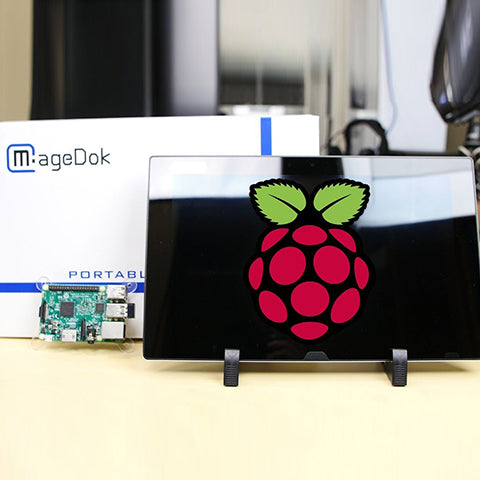
Magedok 13.3 inch 2K OLED 100% DCI-P3 Touchscreen Monitor
Portable Touch MonitorMore Details
2K OLED A+ Panel
100% DCI-P3
Adjustable Stand
10 Points Capacitive Touch
On-the-go Secondary Screen fit for outside working or playing condition
A New Definition of 2K Monitor
2K Super QHD (2560x1440) high resolution, 100% P3 color gamut, 300nits brightness 54000:1 contrast ratio, enhances the visibility of intricate details.
10-Point Multi-Touch Functionality
It offers fluid and precise control for gestures like switching, swiping and zooming. the intuitive touch interface boosts productivity.
Note:Mac OS not support Touch.
Ultra-Thin, Market-Leading Design
CNC shell leading design,ultra-slim and lightweight make it perfect for on-the-go work, gaming, or entertainment.
All-inclusive Workstation
Plug-and-play Extend Screen
No need for any driver installation, you need only connect this second display with the compatible port that can output video signal.secondary,mirror or span mode you choose by your need.
VESA 75×50mm Mount
Desk, arm, wall—install it your way:with a back bracket,easy install on the desktop,Built-in VESA 75×50mm mounting for monitor arms, rigs, kiosks, or rack dashboards.
1Ms Response Ensures That The Screen Updates Quickly And Smoothly
30-Day Back Guarantee
Hassle-Free Warranty
Lifetime Customer Support
Let's Hear What Our Customers Say
Regina Moore
The Magedok Raspberry Pi touchscreen monitor is 10.1 inches in size and portable. The build quality is excellent, and the touchscreen responds quickly and reliably
Ned Jacobs
The small display arrives securely packaged. Included are a 12V power adapter, a USB to USB-C cable, a sufficiently long HDMI cable, and mounting screws.
Sabrina Miller
I am absolutely thrilled with the Raspberry Pi touchscreen monitor
Since I started using it three months ago, it has proven to be indispensable for my Raspberry Pi projects.
Color:Sliver Connectivity:USB C 3.1 Gen2 x 1 USB C PD Power x 1 Mini HDMI (HDCP 2.0)x 1 I/O Ports: 3.5mm Audio Jack x 1 Accessories (vary by regions):Power Adapter x 1, USB C 3.1 Gen2 Cable x 1, USB C-USB A Cable x 1, Mini HDMI Cable x 1, User Manual x 1
Q1: The Monitor shows: “No signal”, how to solve it?
Please connect the power first, then check the HDMI cable and USB-C power cable have been firmly connected to the monitor's port. In the OSD menu, make sure the power key is open.
Q2: Power is On, why no image appears on screen?
Make sure the video cable connecting the monitor to the computer is properly and securely connected.
Adjust the brightness and contrast settings.
Make sure the correct input source is selected.
Q3: Why shows wrong or abnormal colors?
If any colors (red, green, or blue) are missing, check the video cable to make sure it is properly and securely connected. Loose or broken pins in the cable connector could cause an improper connection.
Connect the monitor to another computer.
Pls check if you using an older graphics card.
Q4: Why screen image is blurred?
Adjust the resolution to the correct Aspect Ratio.
Reset the monitor to factory settings.
Q5: The screen isn’t centered correctly
Adjust the horizontal and vertical controls via the OSD Menu.
Check the Aspect Ratio.
Reset the monitor to factory settings.
Q6: The screen appears yellow
Make sure the “Blue Light Filter” is Off.
Q7: Randomly no display or go blank Or showing "Insufficient Power Warning" on the monitor, How to do it?
Please avoid pulling the cables.
Please connect to a PD30W adapter to ensure the power supply is enough.
Lower the volume and the brightness. High volume and brightness may increase power consumption and cause the monitor going off.
Q8: Monitor has image,but No Sound coming out?
Please check volume settings whether Mute has been turned on or not first. Monitor's audio jack is for audio output ,not input.Users can not input the audio. When connecting a cable to the monitor's headphone jack,the Monitor will turn off the internal speakers.
Q9: Why my monitor shows Out of Range?
It means the video source inputted is not in monitor's supported video input formats, and the monitor cannot display the resolution or the frequency normally. Please check monitor's supported operating modes.
Q10: Why it is no signal when i use the usb-c to usb-c Cable in the USB C device?
Please make sure the USB C device support the video input
Make sure use the USB-C 3.1 Gen 2 (10 Gbps) Cable
It need to connect the USB C power port when powered insufficiently by USB C full function port
Q11: Why my device has USB C,connect the usb c 3.1 gen 2 cable but no video?
For some Terminal equipment manufacture,the USB C not support USB C ALt mode, the hardware can’t provide the video signal.
Q12: Does it need a USB-C converter when connecting the Nintendo Switch?
No, it doesn’t need. It is plug and play. Use the original adapter, one single power cable can power both the monitor and Switch.
Subject
Release Date
Download
User Manual
2025/11/10
2D Dimension Drawing
2025/11/10
3D Files
2025/11/10
Customers Also Bought
Let's Hear What Our Customers Say
Regina Moore
The Magedok Raspberry Pi touchscreen monitor is 10.1 inches in size and portable. The build quality is excellent, and the touchscreen responds quickly and reliably
Ned Jacobs
The small display arrives securely packaged. Included are a 12V power adapter, a USB to USB-C cable, a sufficiently long HDMI cable, and mounting screws.
Sabrina Miller
I am absolutely thrilled with the Raspberry Pi touchscreen monitor
Since I started using it three months ago, it has proven to be indispensable for my Raspberry Pi projects.
This shop uses cookies to ensure you get the best experience on our website.