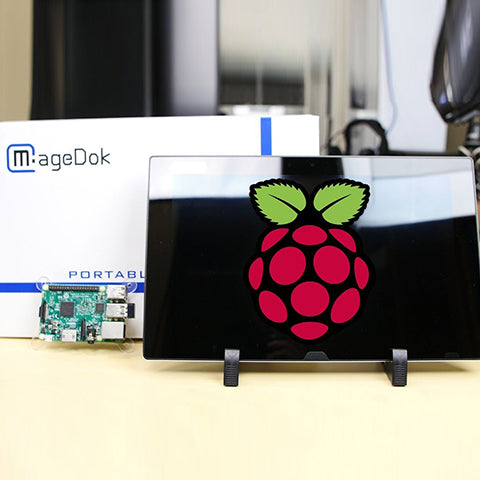
All essential ports are integrated into the device for a clean and efficient setup—no complex wiring required. Simply install the Raspberry Pi CM5 / CM5 Lite module into the rear slot and install the OS. Power on and start using your portable Raspberry Pi system instantly.
Multi-Touch Functionality
With optical bonding and capacitive touch, it offers stable performance and plug-and-play compatibility with the latest Raspberry Pi OS—perfect for coding, debugging, and developing IoT, AI, or robotics projects anywhere.
Essential Checklist
Supports multiple PCle M.2NVMe SSD. fully exposed GPIO header ensures seamless integration with HATs, sensors, and motors, Raspberry pi CM5/CM5 Lite, SSD, CR2032 battery all not included.
All-inclusive Workstation
Plug-and-play Extend Screen
The All in one Raspberry Pi Tablet can be connected to an external display via HDMI, and its numerous USB OTG ports allow you to connect devices such as a mouse and keyboard.
Versatile Applications in One Device
From programming and STEM education to smart home control, 3D printing, retro gaming, and professional presentations, this compact device supports a wide range of use cases.
Raspberry Pi touch display Easy Setup
Installation Instructions
30-Day Back Guarantee
Hassle-Free Warranty
Lifetime Customer Support
Let's Hear What Our Customers Say
Regina Moore
The Magedok Raspberry Pi touchscreen monitor is 10.1 inches in size and portable. The build quality is excellent, and the touchscreen responds quickly and reliably
Ned Jacobs
The small display arrives securely packaged. Included are a 12V power adapter, a USB to USB-C cable, a sufficiently long HDMI cable, and mounting screws.
Sabrina Miller
I am absolutely thrilled with the Raspberry Pi touchscreen monitor
Since I started using it three months ago, it has proven to be indispensable for my Raspberry Pi projects.
Type C (power)x 1, Type C (2.0)x 1, USB A(OTG)x 3 I/O Ports: 3.5mm Audio Jack x 1 Accessories (vary by regions):PD27W Power Adapter x 1, Screwdriver x 1, User Manual x 1
Q1: Does this device include the Raspberry Pi CM5 module?
No, the Raspberry Pi Compute Module 5 (CM5 / CM5 Lite) is not included. This device is a portable carrier and display solution designed specifically for CM5 modules.
Q2: Is this compatible with Raspberry Pi CM4 or other versions?
No, this device is specifically designed for Raspberry Pi Compute Module 5 (CM5 / CM5 Lite) and is not compatible with CM4 or other Raspberry Pi models
Q3: Why shows wrong or abnormal colors?
If any colors (red, green, or blue) are missing, check the video cable to make sure it is properly and securely connected. Loose or broken pins in the cable connector could cause an improper connection.
Q4: Is it difficult to set up?
Setup is straightforward. Simply install the CM5 module into the reaar slot, secure it, connect power, and install the OS. Basic Raspberry Pi knowledge is must.
Q5: Does the touchscreen work automatically?
Yes, the capacitive touchscreen supports plug-and-play with Raspberry Pi OS, allowing smooth and responsive touch interaction.
Q6: The screen appears yellow
Make sure the “Blue Light Filter” is Off.
Q7: Randomly no display or go blank Or showing "Insufficient Power Warning" on the monitor, How to do it?
Please avoid pulling the cables.
Please connect to a PD27W adapter to ensure the power supply is enough.
Lower the volume and the brightness. High volume and brightness may increase power consumption and cause the monitor going off.
Q8: Monitor has image,but No Sound coming out?
Please check volume settings whether Mute has been turned on or not first. Monitor's audio jack is for audio output ,not input.Users can not input the audio. When connecting a cable to the monitor's headphone jack,the Monitor will turn off the internal speakers.
Q9: Can I connect external devices like keyboard, mouse, or USB drives?
Yes, the device includes multiple USB ports (USB 3.0 and USB 2.0), allowing you to connect keyboards, mice, storage devices, and other peripherals.
Subject
Release Date
Download
User Manual
2025/11/10
2D Dimension Drawing
2025/11/10
3D Files
2025/11/10
Customers Also Bought
Let's Hear What Our Customers Say
Regina Moore
The Magedok Raspberry Pi touchscreen monitor is 10.1 inches in size and portable. The build quality is excellent, and the touchscreen responds quickly and reliably
Ned Jacobs
The small display arrives securely packaged. Included are a 12V power adapter, a USB to USB-C cable, a sufficiently long HDMI cable, and mounting screws.
Sabrina Miller
I am absolutely thrilled with the Raspberry Pi touchscreen monitor
Since I started using it three months ago, it has proven to be indispensable for my Raspberry Pi projects.
This shop uses cookies to ensure you get the best experience on our website.