

Q1: The Monitor shows: “No signal”, how to solve it?

description
tech specs
support
download
reviews
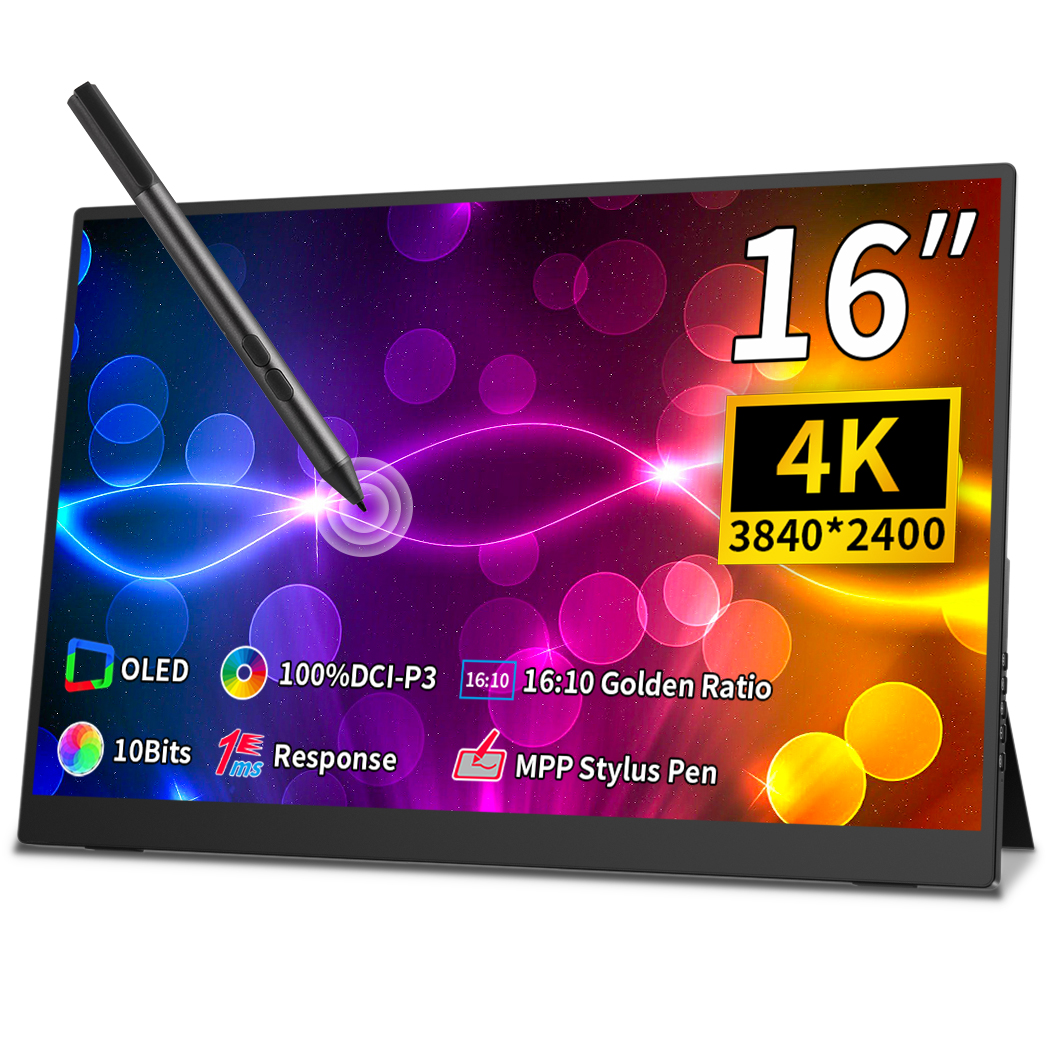
4k UHD OLED Touch Portable Monitor More Details

100% DCI-P3
Eye care
USB C+DP+HD
TUV Rheinland
Elevate Your Gaming Experience with the Stunning 4K Display

Support MPP Protocol Active Stylus Pen
The 16 Inch 4k Mobile Monitor Touchscreen Supports Mpp And Usi Protocols, And The Stylus Pen Enables A Comfortable And Natural Writing And Drawing Experience As Writing On Paper.
Dual Display Dual Efficiency
Capacitive Touch Makes Touch More Precise and Supports Ten-points Touch for Functions Such as Zooming In, Zooming Out and Moving the Cursor.
Connect to Phone, Plug and Play
Extend your phone screen with just one usb-c cable,and you can choose desktop or phone mode
VESA Support
The 16 Inch 4k Portable Display Net Weighs Just 2.2 Bls And Measures 14.1 X 9.51x0.22 (0.46) Inch .narrow Bezel Design With 93% Screen-to-body Ratio.integrated Stand For 0-90 View Angle Adjustable And Compatible With The Standard 75 X 75mm Vesa Mount
MPP 1.5/2.0/2.5/2.6 And Usi 1.0/2.0 Active Capacitive Pen Support

Easy To Store And Allows The Display Angle To Be Adjusted As Required

30-Day Back Guarantee
Hassle-Free Warranty
Lifetime Customer Support
Let's Hear What Our Customers Say


Regina Moore
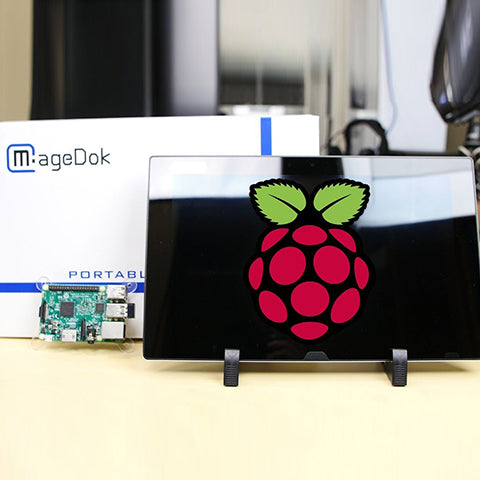
The Magedok Raspberry Pi touchscreen monitor is 10.1 inches in size and portable. The build quality is excellent, and the touchscreen responds quickly and reliably

Ned Jacobs
The small display arrives securely packaged. Included are a 12V power adapter, a USB to USB-C cable, a sufficiently long HDMI cable, and mounting screws.
Sabrina Miller
I am absolutely thrilled with the Raspberry Pi touchscreen monitor
Since I started using it three months ago, it has proven to be indispensable for my Raspberry Pi projects.
Display
Display Type:OLED
Panel Size (inch) :16
Aspect Ratio:16:10
Native Resolution :3840*2400
Contrast Ratio :100,000:1
Color Support :1.07 Billion Colors
Color Gamut :100% DCI-P3
Viewing Angle:178 Degrees
Screen Coating :Glossy
Refresh Rate :60Hz
Response Time:1MS
Brightness : 400 lm
Mechanical
Dimensions & Net Weight:
358.2*241.6*5.7(11.6)mm, 1000g
Dimensions & Weight (Shipping):
382*273*60mm, 1700g
Mounting Type:Desk&Wall Mount
Shell Material:Aluminium
Environmental Parameters
Min Operating Temperature : -20°C
Max Operating Temperature: 70°C
Storage Temperature : -40-85°C
Touch Function
Yes/NO:Yes
Touch Controller: ILITEK 2900
Compatible OS:Andriod Windows10/11,Mac OS,Linux
Power
Power Consumption (Typical) 10W
Audio
Type:Speakers/3.5 Headphones
Output Power / Channel:1 W*2
Other
Color:Black
Connectivity:USB C 3.1 Gen2 x 1
USB C PD Power x 1
HDMI (HDCP 2.0)x 1
Mini DisplayPort 1.2x 1
I/O Ports: 3.5mm Audio Jack x 1
Accessories (vary by regions):Power Adapter x 1, USB C 3.1 Gen2 Cable x 1, USB C-USB A Cable x 1, Standard HDMI Cable x 1, User Manual x 1
Q1: The Monitor shows: “No signal”, how to solve it?
Please connect the power first, then check the HDMI cable and USB-C power cable have been firmly connected to the monitor's port. In the OSD menu, make sure the power key is open.
Q2: Power is On, why no image appears on screen?
Q3: Why shows wrong or abnormal colors?
Q4: Why screen image is blurred?
Q5: The screen isn’t centered correctly
Q6: The screen appears yellow
Make sure the “Blue Light Filter” is Off.
Q7: Randomly no display or go blank Or showing "Insufficient Power Warning" on the monitor, How to do it?
Q8: Monitor has image,but No Sound coming out?
Please check volume settings whether Mute has been turned on or not first. Monitor's audio jack is for audio output ,not input.Users can not input the audio. When connecting a cable to the monitor's headphone jack,the Monitor will turn off the internal speakers.
Q9: Why my monitor shows Out of Range?
It means the video source inputted is not in monitor's supported video input formats, and the monitor cannot display the resolution or the frequency normally. Please check monitor's supported operating modes.
Q10: Why it is no signal when i use the usb-c to usb-c Cable in the USB C device?
Q11: Why my device has USB C,connect the usb c 3.1 gen 2 cable but no video?
For some Terminal equipment manufacture,the USB C not support USB C ALt mode, the hardware can’t provide the video signal.
Q12: Does it need a USB-C converter when connecting the Nintendo Switch?
No, it doesn’t need. It is plug and play. Use the original adapter, one single power cable can power both the monitor and Switch.
Subject
Release Date

Download
User Manual
2023/9/10

2D Dimension Drawing
2023/9/10
3D Files
2023/9/10
Customers Also Bought
This shop uses cookies to ensure you get the best experience on our website.